The whole game, except the fighting.
The bot logs into each governor and plays it the way you configured. The portal is where you configure it. This page lists both, module by module.
In the game
Twelve modules. Each one has its own on-off switch, its own settings, and its own list of what it may spend. Turn a module off and its settings disappear rather than sit there ignored.
- Gathering
- Food, wood, stone and gold in the priority order you rank. Falls through to the next resource when no node is near.
- Smart gathering
- Balances what each governor collects against what it is short of, and against what the fleet needs.
- Barbarians
- Hunts at the level you set, inside the hours you set, managing action points and the recovery items you allow.
- Barbarian fort rallies
- Places fort sessions on the schedule like any other block, from five minutes to a full day, with their own AP budget.
- City builder
- A target level per building, including each farm, sawmill, quarry and goldmine separately. Rush mode pre-builds what the next City Hall needs.
- Research
- A target level per technology, drawn as the economy and military trees. Raising one lifts its prerequisites.
- Training
- Highest tier per troop type, and whether each may be sped up. Heals the wounded on its own.
- Heroes
- A commander roster in priority order: target level, skills, star cap, and what may be spent on each.
- Combat
- Expedition lineups and troop loadouts pinned per activity, so gathering marches never carry your fighting troops.
- Alliance
- Help, gifts, chests, resource centre, tech donations and the alliance shop. Credit spend is capped by you.
- Events
- Daily rewards, tavern, VIP points, gift codes, Golden Kingdom, seasonal events and the Mightiest Governor gate.
- Item policy
- Every section has its own allowlist of what it may spend. Untick a 24-hour speedup for research and it stays untouched.






On-demand commands
Things you want done now rather than on a schedule. Send one to a governor or to the whole fleet from the Command Center, chain several together, or have a rule fire them for you.
- Recall troops
- Recall gatherers
- Hunt barbarians
- Transport resources
- Teleport (coordinates, hub or random)
- Join or leave alliance
- Set gather priority
- Rush build
- Rush research
- Change barbarian level
- Donate tech
- Use item
- Apply talents
How a day is built
A governor's day is a schedule of activity blocks. The wizard drafts one for you, or you place blocks by hand, and you can create schedules for many governors at once.
Sleep windows are spread through the day so no two governors keep the same hours. Schedules follow your timezone and adjust for daylight saving on their own.
Modes sit on top: a Farm, Rush, Sleep or KvK mode is a configuration template with a switch. Flip one governor, a group or the whole fleet, and undo a fleet switch if you change your mind.
- Gathering
- Building
- Research
- Barbarians
- Alliance and events
- Now, your time
In the portal
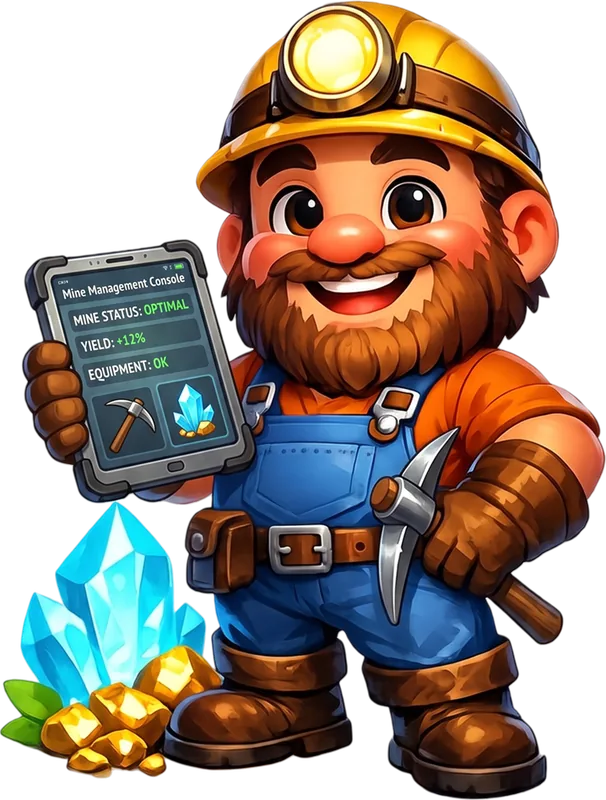
One web app for the whole fleet. It works as an installed app on your phone too, with push notifications and a weekly digest if you want them.
- Governors
- The fleet roster. Totals across the top, a filter panel, click any kingdom, alliance or tag in a row to filter by it, and bulk actions where the selection is.
- Modes
- One switch for how you play. Build Farm, Rush, Sleep or KvK from a configuration template, then flip one governor, a group or everything. Fleet switches can be undone.
- Configuration
- Per-governor settings with templates you can apply to many at once, a diff before it applies, a change history and rollback.
- Schedules
- Per-governor activity blocks with a wizard, bulk creation and timezone awareness. Save schedules and reuse them.
- Command Center
- Send, schedule and repeat commands to one governor or the whole fleet. Templates, multi-step chains and automation rules.
- Stockpile
- Food, wood, stone, gold and gem totals across whichever governors you have filtered, with a note of how many have reported.
- Dashboards
- Resources, Health, Calendar and Analytics views. Low stock, anomalies, velocity, forecast and gathering efficiency.
- Localizer
- A fleet map with every governor placed on it, and teleports you can send from the map.
- Alerts
- Watchdog rules on low resources, idle governors, finished builds and research. Fleet-wide or per governor. Needs VIP.
- Community Library
- Command templates and chains shared by other players. Import one, vote, comment.
- Support
- Tickets in the portal with a two-hour first response on urgent issues. A Knowledge Base with step-by-step guides.
- Account security
- Two-factor authentication with recovery codes and a list of your active sessions.
Three ways to fill a seat
A seat is one governor the bot plays. You can bring your own, have one made, or buy one that is already levelled.
- 1
Link an account you already play
Log in with your game credentials, or with an emailed code. The credentials go straight to the game's login. A freshly linked governor starts paused so you can set it up first.
- 2
Let Farmoria make a new one
The team registers a fresh account in the kingdom you choose and binds it to your seat when it is ready. This is the setup we recommend: nothing you personally care about is on the line.
- 3
Buy a pre-levelled governor
From the marketplace, priced by march queues at €0.50 each plus a small fee for the resources it carries. It binds to your seat straight away and can be returned within 30 days.
Regions
Pick the game region when you link an account. Existing governors keep theirs.
- International
- Vietnam (Gamota)
- Korea
Your account
Two-factor authentication with recovery codes, a list of active sessions you can end, and a two-step email change. Support runs on tickets inside the portal, with a first response within two hours on urgent issues.
Anything you build, from a command chain to a schedule, can be shared by link or published to theCommunity Library.
See it run on one governor first.
A single seat is €1 a month. If it earns its keep, add the rest of the fleet from the same page.
Access is by invitation while sign-up is being opened. Ask for one on Discord.